[Bug] Popup "Do you trust domain" #5161

Description

Library version used
4.61.1.0
.NET version
DotNet 8
Scenario
PublicClient - desktop app
Is this a new or an existing app?
The app is in production, I haven't upgraded MSAL, but started seeing this issue
Issue description and reproduction steps
We are experiencing a popup in our WebView2 browser that says "Do you trust domain" (a Microsoft 365) domain confirmation dialog.
Similar to this example: https://learn.microsoft.com/en-us/entra/identity/enterprise-apps/media/home-realm-discovery-policy/domain-confirmation-dialog-new.png
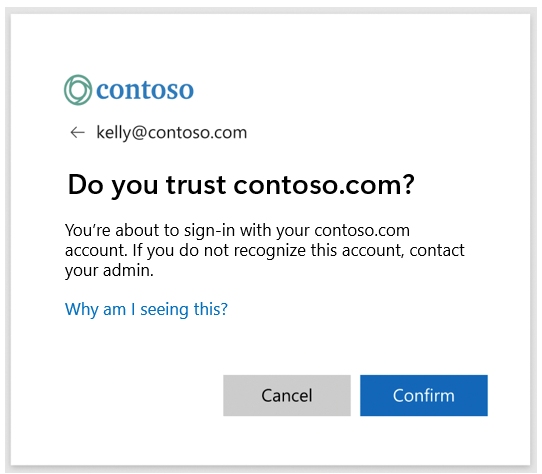
The customer in question uses PingFederate as their IdP - the authorization there looks fine, and when it's signing into Microsoft, they get this do you trust domain pop up.
Via a browser (not our application) it's fine they don't see this pop up.
They have 0 HRD policies configured in Azure.
It's something to do with the application opening WebView2 - as I know it opens in a 'sandbox' mode - I was wondering if they require trusted sites to be passed through. But how can you pass through trusted sites into the MSAL webview2 flow?
Relevant code snippets
Expected behavior
No pop up domain confirmation
Identity provider
Microsoft Entra ID (Work and School accounts and Personal Microsoft accounts)
Regression
No response
Solution and workarounds
No response