How to display images from Firestore on FlutterFlow using Rowy? #1085


-
|
I am using Rowy as a CMS to manage all the data to be displayed on my FlutterFlow project. But I'm not sure how to make an image appear in FlutterFlow's Photo Path data column. |
Beta Was this translation helpful? Give feedback.
Replies: 1 comment 3 replies
-
|
We can use the Derivative Field to extract the downloadURL1.mp4STEPS:
const derivative:Derivative = async ({row,ref,db,storage,auth,logging})=>{
    let url = row.image[0].downloadURL;
    return url;
  }
Now, you can continue to use the derivative column as an Image Path in FlutterFlow. |
Beta Was this translation helpful? Give feedback.

-
|
This looks promising, thank you. I will try this once I figure out why I can no longer display data in a listview. |
Beta Was this translation helpful? Give feedback.
-
|
Thanks @BeeBombshell! That worked. How do I collect multiple images as this works for only one? When I upload multiple images it only references the first in the index [0]. How do I reference multiple images as I am creating a gallery. |
Beta Was this translation helpful? Give feedback.

-
|
Hey @DayneLinx. To access multiple image URLs, you could create another derivative column. Set it's Listener Fields to the Image field and the Output Field Type to JSON. Now can paste the following to the derivative script. const derivative:Derivative = async ({row,ref,db,storage,auth,logging})=>{
// WRITE YOUR CODE ONLY BELOW THIS LINE. DO NOT WRITE CODE/COMMENTS OUTSIDE THE FUNCTION BODY
const obj = {
data: []
}
row.image.map((img) => {
obj.data.push(img.downloadURL)
})
return obj;
}Output
Hope this helps! :) |
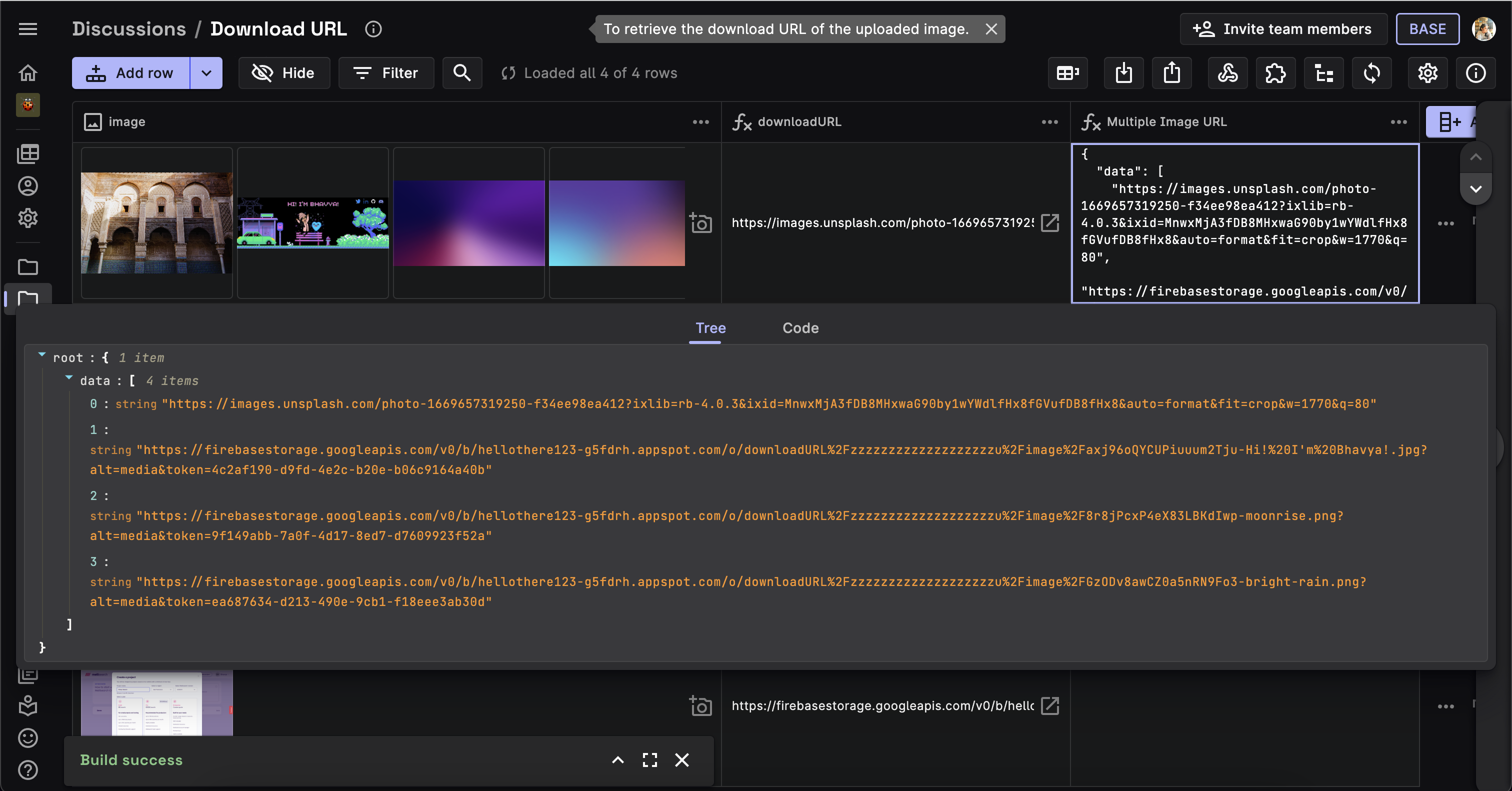
Beta Was this translation helpful? Give feedback.


We can use the Derivative Field to extract the
downloadURLderived from an image uploaded in another column. Refer to the following video to see how to get the download URL.downloadURL1.mp4
STEPS:
Now, you can continue to use the derivative column as an Image Path in FlutterFlow.