






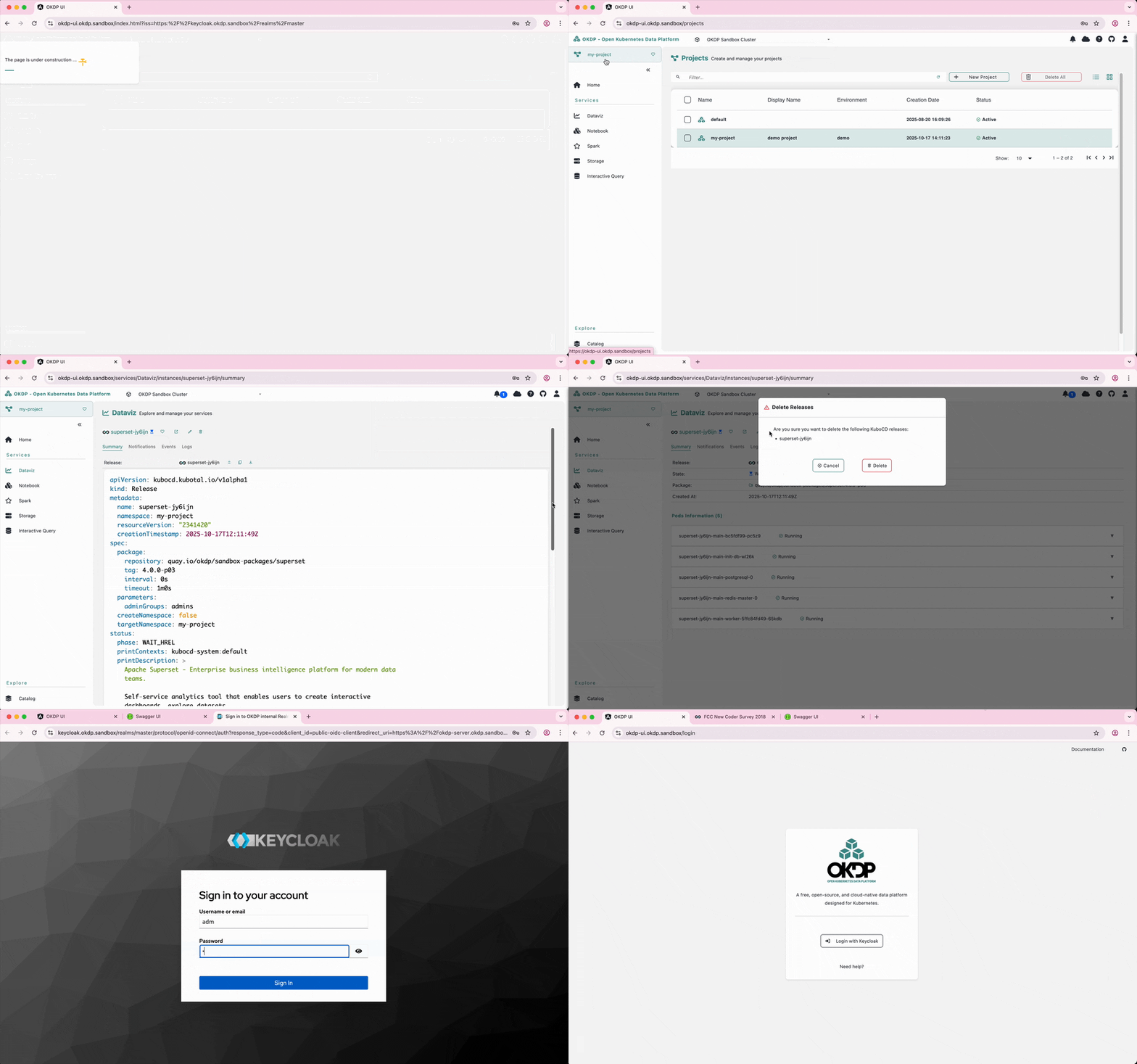
A complete sandbox environment for testing and evaluating OKDP (Open Kubernetes Data Platform) components.
OKDP Sandbox provides a ready-to-use data platform environment that includes:
- Identity management (Keycloak)
- Object storage (MinIO)
- Data processing (Spark History Server)
- Notebooking (JupyterHub)
- Data visualization (Apache Superset)
- Platform management (OKDP Server & UI)
- Minimum: 16GB RAM and 4 CPUs
- Docker/Podman allocation: 8GB RAM and 2 CPUs minimum
git clone https://github.com/okdp/okdp-sandbox.git
cd okdp-sandboxCreate a Kind cluster configuration file and deploy the cluster:
ℹ️ Kind is a tool for running local Kubernetes clusters using Docker.
It’s ideal for development, testing, and sandbox reproducible environments.
Kind follows a manifest-first (infrastructure-as-code) approach, while Minikube is a command-line-first approach.
# Create cluster configuration
cat > /tmp/okdp-sandbox-config.yaml <<EOF
kind: Cluster
apiVersion: kind.x-k8s.io/v1alpha4
name: okdp-sandbox
nodes:
- role: control-plane
  extraPortMappings:
  - containerPort: 30080
    hostPort: 80
  - containerPort: 30443
    hostPort: 443
  - containerPort: 30053
    hostPort: 30053
    protocol: UDP
EOF

# Create the cluster
kind create cluster --config /tmp/okdp-sandbox-config.yaml
PowerShell
# Create cluster configuration
@"
kind: Cluster
apiVersion: kind.x-k8s.io/v1alpha4
name: okdp-sandbox
nodes:
- role: control-plane
  extraPortMappings:
  - containerPort: 30080
    hostPort: 80
  - containerPort: 30443
    hostPort: 443
  - containerPort: 30053
    hostPort: 53
    protocol: UDP
"@ | Out-File -FilePath "$env:TEMP\okdp-sandbox-config.yaml" -Encoding UTF8

# Create the cluster
kind create cluster --config "$env:TEMP\okdp-sandbox-config.yaml"ℹ️ Flux is the GitOps controller that continuously reconciles your cluster state with what’s defined in Git.
The following command installs all Flux core components:
- source-controller: fetches sources such as Git repositories and Helm charts
- kustomize-controller: applies Kubernetes manifests using Kustomize
- helm-controller: manages Helm releases declaratively
- notification-controller: handles alerts and automation triggers
💡 In this setup, Flux controllers manage resources locally and are not connected to a Git repository.
Manifests are applied manually withkubectl, so no Git access is required.
flux installIf your environment requires a proxy to reach external sources (container registries), the following command sets the proxy configuration variables to all Flux controllers (source, kustomize, helm, notification):
[ -n "${https_proxy}${HTTPS_PROXY}" ] && kubectl -n flux-system set env deploy -l app.kubernetes.io/part-of=flux \
        HTTPS_PROXY="${HTTPS_PROXY:-${https_proxy}}" \
        HTTP_PROXY="${HTTP_PROXY:-${http_proxy}}" \
        NO_PROXY="${NO_PROXY:-${no_proxy}}"
PowerShell
if ($env:HTTPS_PROXY -or $env:https_proxy) {
    kubectl -n flux-system set env deploy -l app.kubernetes.io/part-of=flux `
        HTTPS_PROXY=($env:HTTPS_PROXY ?? $env:https_proxy) `
        HTTP_PROXY=($env:HTTP_PROXY ?? $env:http_proxy) `
        NO_PROXY=($env:NO_PROXY ?? $env:no_proxy)
}
Verify the proxy environment variables are correctly set for all Flux controllers:
💡 You may see the same variable (e.g.,
HTTPS_PROXY) repeated multiple times, one for each controller (source, kustomize, helm, notification).
This is expected and confirms that the variables were applied consistently.
kubectl -n flux-system set env deploy -l app.kubernetes.io/part-of=flux --list \
                                         | grep PROXY
💡 Use the following command if you want to remove the proxy configuration from Flux controllers:
After removing the proxy, Flux will no longer be able to pull images or manifests from external registries that require proxy access.kubectl -n flux-system set env deploy -l app.kubernetes.io/part-of=flux \ HTTPS_PROXY- \ NO_PROXY-
Ensures all Flux controllers (source-controller, kustomize-controller, helm-controller, notification-controller) are fully running before proceeding to the next step:
kubectl wait --for=condition=ready pod -l app=source-controller -n flux-system --timeout=300sℹ️ KuboCD is the continuous delivery layer built on top of Flux.
It manages platform components and applications declaratively, providing a higher-level CD abstraction for GitOps workflows.
kubectl apply -f clusters/sandbox/flux/kubocd.yamlDeploy the sandbox default context:
💡 The KuboCD Context is a centralized, reusable, declarative and environment-aware configuration layer that provides user defined shared parameters (ingress suffixes, storage classes, certificate issuers, catalogs, and authentication settings, etc) to all the components, ensuring consistent deployment.
During deployment, KuboCD automatically resolves and injects these context variables into the target Kubernetes components across the cluster (cluster-wide), ensuring that every component is deployed with a consistent configuration.
During a Context update, changes are automatically propagated only to the affected components, which are then reconciled to align with the desired configuration.
For example, the Context enables defining different configurations for different environments:
sandboxfor experimentationdevfor internal testingprodfor stable production environmentsorg(orglobal) for the organization-wide configuration that provides defaults to other environments.Each environment can define, override or extend one or more contexts while preserving a unified, declarative deployment model.
kubectl apply -f clusters/sandbox/default-context.yaml💡 By default, the default Context uses okdp.sandbox as the ingress domain suffix.
This domain may be blocked if it does not comply with your organization’s allowed domain policy.Use the following command to update the domain suffix to match your organization’s domain (replace <CUSTOM_DOMAIN> with your actual domain name):
kubectl -n kubocd-system patch context default \
  -p '{"spec":{"context":{"ingress":{"suffix":"<CUSTOM_DOMAIN>"}}}}' \
  --type=merge
Deploy OKDP components:
kubectl apply -f clusters/sandbox/releases/addonsWatch releases as they are deployed until all the components become ready.
kubectl get releases -A --watch
# Wait until all releases show STATUS=READY (press Ctrl+C to exit watch)
# Alternative: kubectl wait --for=condition=ready release --all --all-namespaces --timeout=600sEnable access to OKDP services through DNS resolution for the okdp.sandbox or your custom domain <CUSTOM_DOMAIN>:
- Option 1 (Recommended): Local DNS server configuration (recommended, automatic for all services)
- Option 2: Manual
/etc/hostsconfiguration (simple but requires manual updates)
📋 See dns-configuration.md for detailed setup instructions for your operating system.
For HTTPS access without warnings, two options:
Option 1: Install the CA certificate
# Import okdp-sandbox-ca.crt into your system's or browser's certificate store
kubectl get secret default-issuer -n cert-manager -o jsonpath='{.data.ca\.crt}' | base64 -d > okdp-sandbox-ca.crt
PowerShell
# Import okdp-sandbox-ca.crt into your system's or browser's certificate store
kubectl get secret default-issuer -n cert-manager -o jsonpath='{.data.ca\.crt}' | ForEach-Object { [System.Text.Encoding]::UTF8.GetString([System.Convert]::FromBase64String($_)) } | Out-File -FilePath "okdp-sandbox-ca.crt" -Encoding ASCII
Option 2: Ignore certificate warnings
- First, connect to Keycloak (https://keycloak.okdp.sandbox or https://keycloak.<CUSTOM_DOMAIN>) and accept the self-signed certificate in your browser.
- This step is mandatory for all OKDP services (UI, MinIO, etc.) to communicate properly with Keycloak.
- Access OKDP UI: https://okdp-ui.okdp.sandbox or https://okdp-ui.<CUSTOM_DOMAIN>
- Login credentials: Default authentication via Keycloak (login/password: adm/adm)
kind delete cluster --name okdp-sandbox
rm /tmp/okdp-sandbox-config.yaml
PowerShell
kind delete cluster --name okdp-sandbox
Remove-Item "$env:TEMP\okdp-sandbox-config.yaml" -Force
Built 🚀 for the OKDP Community