The eViewer Document Viewing Sample is a client-side web application designed to render and view documents directly within a web browser. Its primary purpose is to provide a robust document viewing solution that allows users to perform actions such as zoom in/out, undo/redo, apply zoom presets, and more. The application operates entirely on the client side, eliminating the need for server-side calls for document rendering.
Follow the steps below to run the eViewer Document Viewing Sample.
-
Clone this repository and host it via an HTTP server.
-
Download the viewer static files from eViewer7 npm repo to the viewer folder. All viewer files should be in the root viewer folder.
-
Open the eViewerPage.html file in your browser to launch the viewer.
-
Enter a document URL or choose a file to view it.
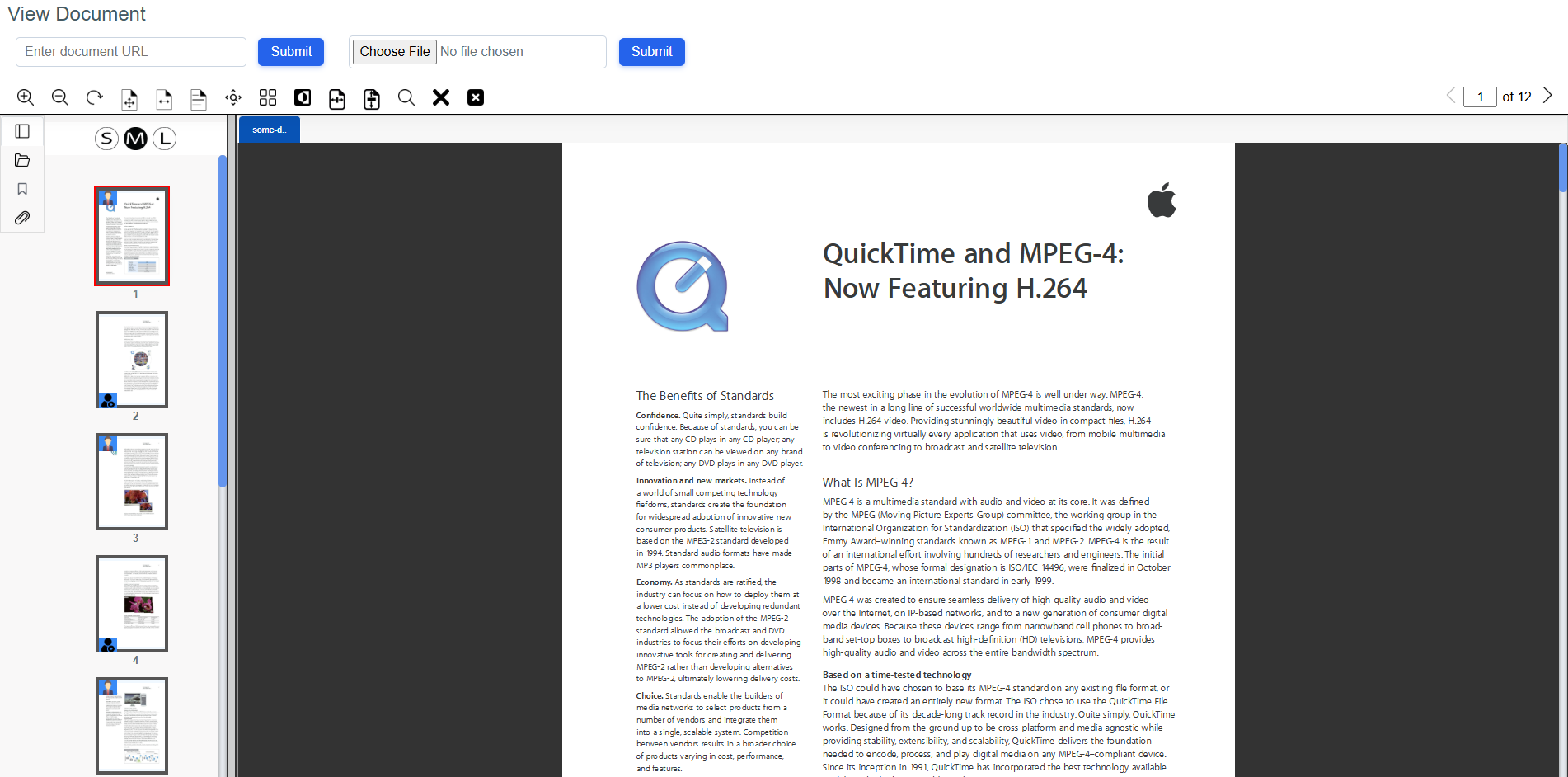
Once the document is loaded, explore the various features available in the viewer.
Below is an overview of the key directories and files included in the project:
└── view-document/
    ├── assets/
    ├── js/
    ├── scripts/
    ├── viewer/
    └── eViewerPage.html
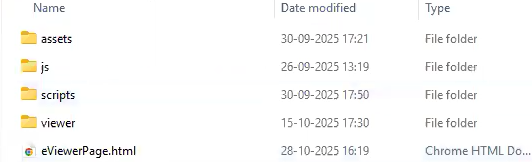
Directory Details:
-
view-document/
The root directory contains all the scripts and markup files required to launch the eViewer browser application.
-
assets/
Contains essential configuration JSON files, such as:
- userPreferences.json – Defines default viewer preferences.
- annotationProperties.json – Defines default annotation configurations.
- stamp.json – Stores predefined and custom (image/text) stamp data.
Note: These preferences can also be managed at runtime using the preference service class APIs.
-
js/
Includes the main script files for viewer functionality.
- events.js – Handles viewer callback events.
- eViewer7.js – Consumed by JavaScript frameworks for embedding the viewer.
- eViewer7_angular.js – Consumed by Angular applications for embedding the viewer.
- eViewer7_browser.js – Consumed by plain JavaScript HTML pages for embedding the viewer.
-
scripts/
- load-scripts.js – Defines code that consumes eViewer v7 APIs for document rendering and viewer preferences.
-
viewer/
Contains the core compiled viewer script files.
-
runtime.js
-
polyfills.js
-
scripts.js
-
main.js
-
eViewerPage.html:
The main HTML entry point for the application. It assembles the complete viewer by loading all required scripts, styles, and assets from the directories listed above.
-
The common APIs used in this sample are:
For more detailed API specifications and integration references, please refer to the official API documentation: https://eviewer.net/developer-guide/
Experience a free live demo at Live Demo
The license key is provided by MST. For information, please contact us at [email protected]